

 Français
  Español
  Deutsch
  Italiano
  Português
 Realistic AI portraits: avoiding the plastic look
Smooth skin, vacant stare, catalog smile: what gives away an AI portrait, the words to remove from your prompt, and the ones that make a face believable.
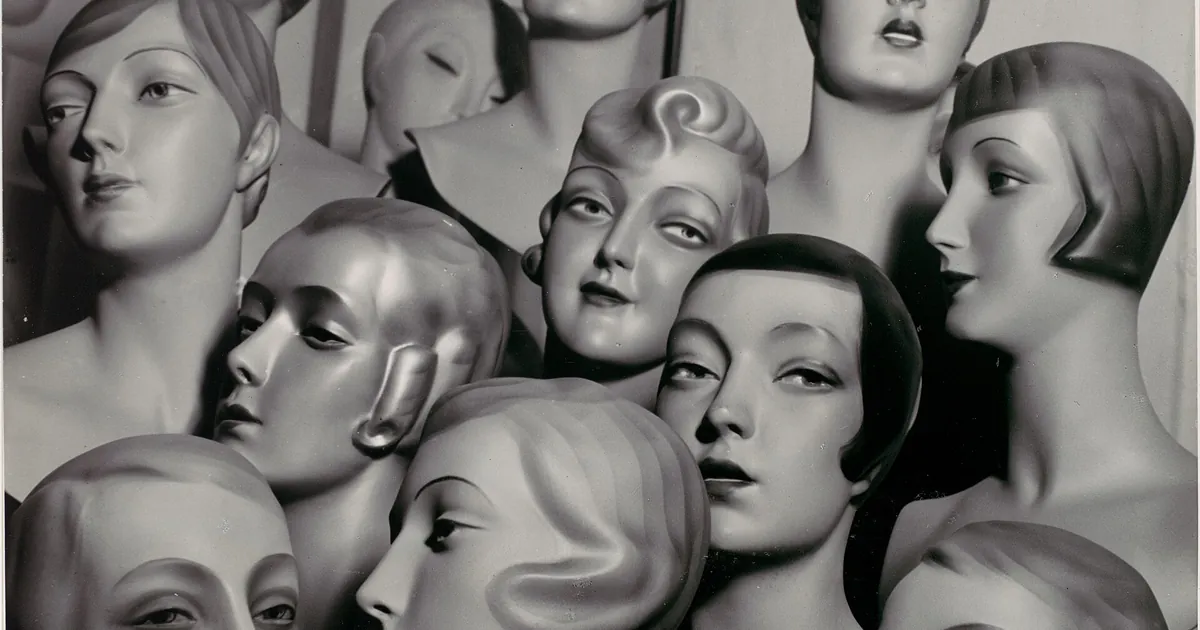
A crime novelist wants to illustrate her blog with a portrait of Louise, her heroine: a fifty-eight-year-old potter in her workshop in Brittany. She writes "realistic portrait of a 58-year-old woman, ultra detailed, 8k, perfect." The result is a face without a single pore, without any asymmetry, with studio lighting and a brochure smile. The reader doesn't see a potter, but an ad for a day cream.
The plastic look comes partly from the words we add to "improve" the image. Terms like "perfect," "flawless," "ultra detailed," or "8k" often pull the image toward the retouched faces of advertising, and the skin loses all its relief.
What makes a generated face suspect
Here are the signs that come up most often:
- Skin too smooth. No more pores, tiny wrinkles, or variations in tone. The face looks like a surface.
- Perfect symmetry. A real face is a little crooked. The eyes aren't quite at the same height.
- Studio light. Soft, even lighting, with no cast shadow and no identifiable source.
- Vacant stare. The eyes fix on the lens with miniature-like sharpness, without the slightest movement of life.
- Catalog smile. Teeth too regular, a frozen neutral expression.
- Peripheral details. Asymmetrical jewelry, odd ears, strands of hair melting into the background, hands with too many or too few fingers.
Describe like a photographer, not like an ad
Replace words of perfection with concrete indications about the scene, the light, and the moment. Our article on photo vocabulary for AI images details the useful terms. For a portrait, four choices weigh more than anything else:
- A moment, not a pose. "She looks up from her potter's wheel, in the middle of a gesture" gives a natural expression that no adjective produces.
- A precise light. A window on the side, a workshop lamp, an overcast sky. A source with a direction creates shadows that shape the face.
- Details of skin and life. Expression lines, freckles, badly combed gray hair, clay on the cheek. These flaws are what make it believable.
- A camera and a distance. A medium-focal-length lens, shallow depth of field, framing at eye level. That pushes toward a photographic look rather than a synthetic image.
Here is the novelist's prompt, corrected. It's written in English, the language most generators understand best for this type of request:
candid photograph of a 58-year-old woman potter with short gray hair and clay smudges on her cheek, looking up from her pottery wheel mid-gesture, slightly asymmetrical smile lines, visible skin texture and freckles, lit by a single window on the left, workshop with shelves of unglazed pots out of focus behind her, 85mm lens, shallow depth of field, muted natural colors, documentary style
Each piece replaces a decision the tool would have made for you: the age is specific, the gesture is specific, the light has a source, and the background tells the story of the trade.
The settings that matter, by tool
Some tools add automatic beautification. On Midjourney, a "raw" mode and a low stylization value limit this effect, as the article on the effective Midjourney prompt shows. In Stable Diffusion and its derivatives, the wording of the negative prompt can rule out a few skin or hand flaws, but a long list of prohibitions improves nothing. The exact parameters change with versions: reread the documentation of the tool you use before copying a value found elsewhere.
Inspect the image like an examiner
Before adopting a portrait, examine it zone by zone:
| Zone | What you're looking for |
|---|---|
| Eyes | Consistent reflections in both eyes, a round pupil, a gaze directed at a specific point |
| Teeth and mouth | A plausible number of teeth, no teeth fusing together |
| Ears and hair | Ears that differ from each other but are realistic, strands of hair that don't cross the neck |
| Hands | Five fingers, believable joints, fingernails |
| Jewelry and clothing | A necklace that closes, aligned buttons, legible text if there is any |
| Background | No object running through the head, no horizon line cutting across the face |
If one detail is off and the rest is good, don't regenerate everything: the inpainting guide shows how to fix a single zone.
What you can do with a generated portrait, and what you shouldn't do
A portrait of a fictional character, a blog illustration, or a mockup is a clear use. A few uses are problematic:
- Presenting the face as that of a real person: a fake customer testimonial, a fake team photo, a fake employee. That's misleading to your audience and risky for you.
- Reproducing the face of a real person, famous or not, without their consent. Celebrity names in a prompt also raise image-rights issues.
- Using an image without checking the tool's terms for commercial use, a point detailed in the article on AI images and commercial use.
If transparency matters to your audience, state that the image is generated. For a specific legal point, consult a professional.
A trial to do right now
Take a character you know well, real or invented in a novel, and write five lines: their age, their job, a typical gesture, a physical flaw, the light in the room where you imagine them. Assemble those five lines into a single prompt, without a single word of perfection, then generate four images. Then generate the same character with "ultra detailed, 8k, perfect" and lay the two series side by side. You'll see right away what those words add, or take away.
Read next
AI images
Negative prompts: how to use them well, tool by tool
Why your 40-word list is useless, how to write a negative prompt that works, and what changes between Stable Diffusion, Midjourney, and FLUX.
5 min read
AI images
Art Styles in AI Images: Describing Without Imitating an Artist
Medium, period, line, palette: the grid for getting a precise, original style in AI images, without naming a living artist.
5 min read
AI images
Legible text in an AI image
Warped letters, invented words: how to ask for a short text in an AI image, how to check it, and when to add it afterward instead.
3 min read