

 Français
  Español
  Deutsch
  Italiano
  Português
 Legible text in an AI image
Warped letters, invented words: how to ask for a short text in an AI image, how to check it, and when to add it afterward instead.
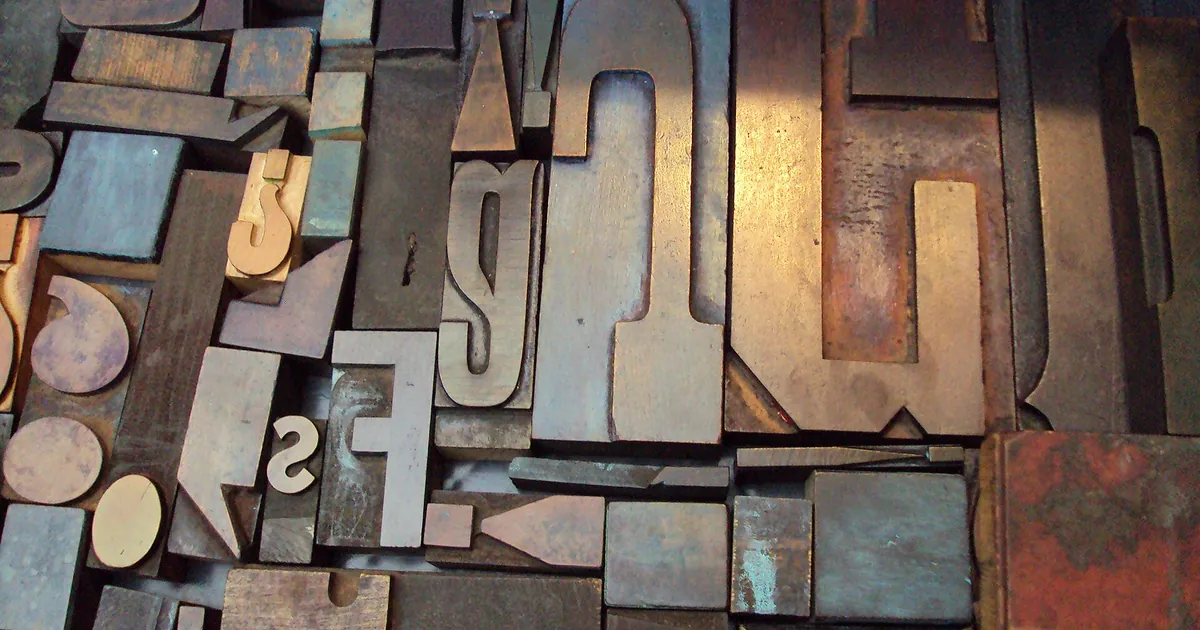
The treasurer of a hiking club is preparing the poster for the spring outing. He asks a generator: "poster with the text Hiking trip, Sunday April 14, meet at 8 a.m. at the stadium parking lot." The image is beautiful. The mountain is perfect. And the poster announces a "Hikking trpi" on "Sundya Aprli 14."
Image generators draw letters the way they draw leaves: imitating the general look, without spelling. The longer the text, the more the errors pile up. Depending on the tool and its version, the situation has improved, and recent models do better with short texts. It's still wise to check everything letter by letter, and never to publish on the strength of a glance.
What improves your odds
A few habits help, whatever the tool:
- Keep the text very short. A word or a title of a few words works far more often than a sentence. A date, an address, and a time in the same image is too much.
- Put the text in quotation marks. This signals to the tool that it should write these letters as is, and not interpret them.
- Specify where and how. "The title "SPRING HIKE" in large white capital letters at the top of the image" beats "with a title."
- Choose simple letters. Capitals, sans-serif, with strong contrast against the background. Fancy fonts and letters carved in stone or traced in sand multiply the mistakes.
- Avoid punctuation, special characters, and rare words if you have the choice: those are the first to go.
- A single block of text. Two or three text areas in the image get mixed up.
poster illustration of a hiking trail climbing a green hillside at sunrise, soft pastel colors, the title "SPRING HIKE" in large white sans-serif capital letters at the top of the image, clean and centered, the rest of the image free of any other text
This prompt asks for a single, short title, in capitals, and rules out any other text. It improves your odds without guaranteeing them: run a few generations and compare.
The reflex that avoids most failures
If the text has to be exact, don't have the AI write it. Have it leave room, then add the text yourself in layout software, slides, or an image editor. You control the font, the spelling, the special characters, and you can fix a date without regenerating the image.
So ask for an empty area in the composition:
poster illustration of a hiking trail climbing a green hillside at sunrise, soft pastel colors, wide empty sky in the upper third of the image, calm and uncluttered, no text, no letters, no logo
Composing in planes helps you reserve this space: a sky, a wall, a plain floor, a blurred background. Choose a calm area without details, otherwise your text will be hard to read. If your tool accepts an exclusion, --no text is the setting mentioned in the article on the effective Midjourney prompt.
Check before publishing
Reread the generated text as if it were a quote:
- Read it letter by letter, out loud if needed. Mistakes hide in words you think you know.
- Look at the small text in the background: signs, labels, stamps. Even when the title is right, they're often wrong, and an attentive reader will see them.
- Check the numbers. A wrong date or time can't be fixed after printing.
- Ask someone else to proofread without knowing what you expect.
A small flaw in a background can be fixed without redoing everything: that's the subject of the article on inpainting.
What you can try tonight
Take the last image with text that you generated. Count the errors. Then regenerate it without text, with an empty area at the top, and write the title in a layout tool. Keep the two versions side by side: the difference in sharpness will tell you whether to keep having the AI write your text.
Read next
AI images
Photography vocabulary for AI images: light, lens, framing
Golden hour, 85 mm, high angle, backlit: the photo terms that transform an image prompt, with their real effect and examples to copy.
5 min read
AI images
Effective Midjourney prompts: the method and the useful parameters
Structure, parameters, reference images and before/after: get the image you had in mind from Midjourney, not a lucky draw.
9 min read
AI images
Effective Stable Diffusion Prompts: Method, Weights, and Settings
Model choice, weight syntax, CFG, seed, and negative prompt: the method for Stable Diffusion images you can reproduce.
8 min read