

 Français
  Español
  Deutsch
  Italiano
  Português
 Art Styles in AI Images: Describing Without Imitating an Artist
Medium, period, line, palette: the grid for getting a precise, original style in AI images, without naming a living artist.
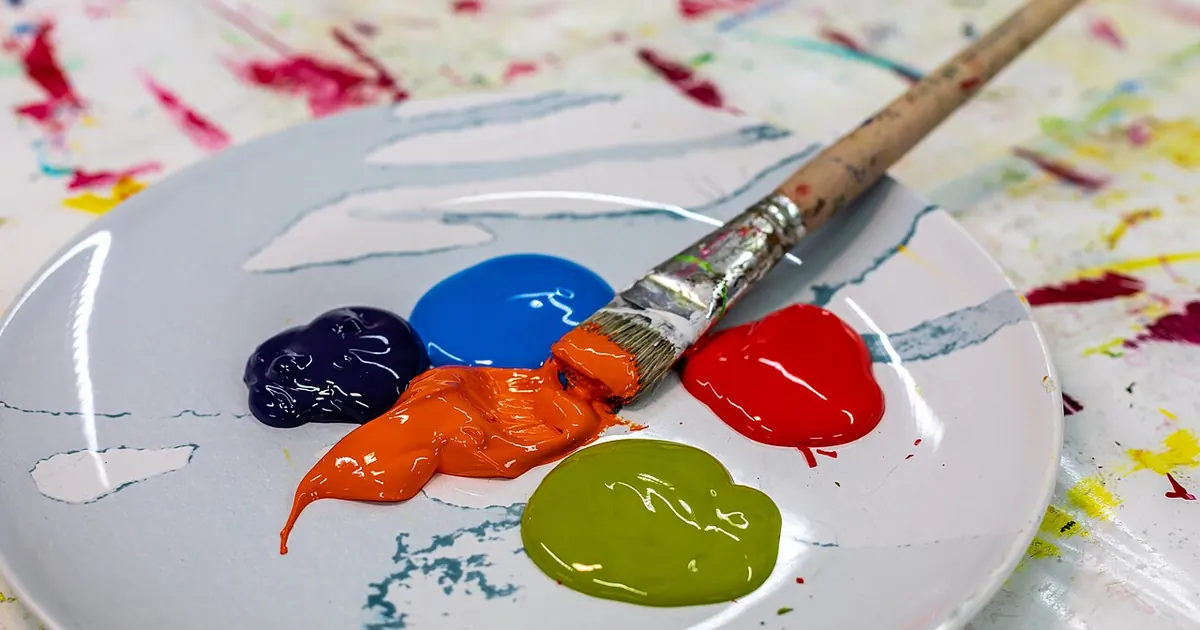
Typing in the style of followed by the name of a living illustrator is the most common shortcut in image generation, and one of the worst. Some tools block the request. The ones that accept it hand you a rough imitation that's instantly recognizable, and you end up publishing work derived from a person who lives off their line and never asked for anything.
Above all, there's a practical reason to do without it. An artist's name is a black box: you don't know what in the result comes from the name, and you can't adjust anything. Describing the style yourself takes five more minutes and gives you a look you control, one you can carry across a whole series.
The six-entry grid
A style can be broken down. If you can fill in these six lines, you no longer need a name.
| Entry | Question to ask yourself | Example terms |
|---|---|---|
| Medium | What is it made with? | gouache, linocut, paper cut-out, ink wash, risograph, colored pencil |
| Surface | On what? | textured paper, canvas, kraft board, newsprint |
| Line | How are the shapes drawn? | thick irregular line, no outlines, fine hatching |
| Palette | How many colors, which ones? | three tones, ochre and petrol blue, desaturated colors |
| Composition | How is the image organized? | flat shapes with no perspective, large flat areas of color, centered subject |
| Period reference | What movement or use does it resemble? | 1920s lithographic poster, 1950s school textbook, Bauhaus, ukiyo-e |
The last line is a better substitute for names. A movement or an old technique belongs to art history and describes a whole body of work rather than a person: Art Nouveau, woodcut, 1930s travel poster.
Before/after on a real case
Let's take a teacher preparing a booklet on the seasons for her class who wants soft, slightly retro illustrations.
Before: illustration of a forest in autumn in the style of [WELL-KNOWN ILLUSTRATOR], cute, beautiful
After:
gouache illustration of a small forest path in autumn, painted on textured cream paper, visible brushstrokes, soft irregular shapes with no outlines, limited palette of ochre, rust and dark green, flat perspective, simple composition with a single deer in the distance, mid-century children's book illustration
The second prompt says everything the name only hinted at. If the result looks too busy, you know where to act: you reduce the palette or simplify the shapes. With an artist's name, you'd have had no lever.
A reusable template
Fill in the variables:
[MEDIUM] of [SUBJECT], on [SURFACE], [DESCRIPTION OF THE LINE], limited palette of [2 TO 4 COLORS], [TYPE OF COMPOSITION], inspired by [MOVEMENT OR HISTORICAL USE, NOT A PERSON]
A few combinations that give clear directions:
- For a neighborhood association's profile page: linocut, two colors, thick ink, irregular lines, folk festival poster feel.
- For an article about accounting: paper cut-out collage, geometric shapes, ochre and navy blue, Bauhaus feel.
- For a developer's documentation: black line drawing on a white background, technical diagram, fine hatching, old patent drawing feel.
- For a restaurant menu: light watercolor, sepia ink, textured paper, travel journal feel.
Capturing a style without copying a name
Found an image whose style you like? Have it described rather than imitating it directly. An assistant that can analyze images, like ChatGPT, Claude or Gemini, can extract its visual grammar.
Here is an image whose style I like. Describe this style using only technical terms, without naming any artist, brand or work.

Answer using this grid: probable medium, surface, nature of the line, palette (named colors), composition, closest historical movement or use.

Then write a one-line description of 30 words maximum that I can add to an image prompt, for the following subject: [SUBJECT].

If an element is impossible to determine, say so instead of guessing.
The description is a starting point: keep two or three elements and change the others, especially the palette and the subject. That way, you draw inspiration from an image without tracing it. If the image is recent and recognizable, avoid keeping all of its traits.
To hold a direction across a series, the tools offer aids. In Midjourney, --sref picks up the look of a reference image, which the Midjourney guide covers in detail. Preferably use it with your own images: you can generate an image in the desired style with your grid, then reuse it as a reference.
On Stable Diffusion, things get complicated, because LoRAs trained on the work of an identifiable artist are widely circulated. Read their description before installing them, and take the time to see whether it's a general style or an imitation. If an overly smooth look sets in despite your grid, a well-dosed negative prompt can fix it.
What can be said about legality, and what can't
Stay cautious on this point, because the answer depends on the country, the tool and the use. In copyright law, it's classically considered that a style as such isn't protected, unlike a specific work. The boundary remains debated in the case of AI, and ongoing cases may shift it. An image that closely reproduces an existing work or character can be a problem whatever words were used to get it.
Each tool's terms add their own rules. Before using an image for a client, a product or a campaign, read the article on commercial use of AI images, and ask a legal professional if the financial stakes are real.
That leaves the human side, which no terms of use settle. If you admire an illustrator and your project has a budget, the simplest option is to commission them.
Try the grid today on a visual you would have launched with an artist's name: fill in the six lines in five minutes, generate the result, and keep the description in your notebook as the house style for your next images.
Read next
AI images
Legible text in an AI image
Warped letters, invented words: how to ask for a short text in an AI image, how to check it, and when to add it afterward instead.
3 min read
AI images
Photography vocabulary for AI images: light, lens, framing
Golden hour, 85 mm, high angle, backlit: the photo terms that transform an image prompt, with their real effect and examples to copy.
5 min read
AI images
Effective Midjourney prompts: the method and the useful parameters
Structure, parameters, reference images and before/after: get the image you had in mind from Midjourney, not a lucky draw.
9 min read