

 Français
  Español
  Deutsch
  Italiano
  Português
 Colors and mood: describing a palette to the AI
"Warm" means nothing to an image generator. Naming two or three colors, a light, and a saturation level produces a recognizable mood.
A bookseller is preparing her back-to-school window and asks for an image for her social media: "cozy and warm mood, autumn colors." She gets a bright orange living room, red leaves everywhere, and the yellow light of a desk lamp. It's warm, the way an oven is warm. What she had in mind was gentler: deep green, a little ochre, late-afternoon light on book covers.
Mood words (cozy, warm, elegant) have a thousand visual translations, and the tool picks the most common one, which means the most saturated. Precise color names leave much less room for that.
Name the colors, not just their effect
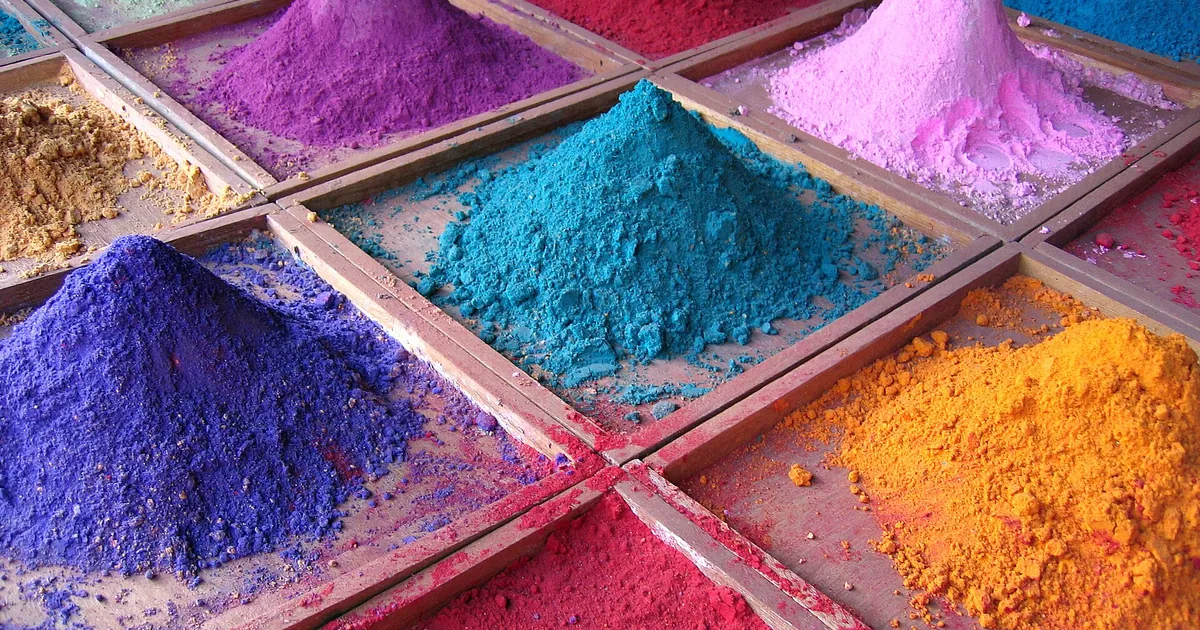
Replace the adjective with two or three concrete colors. Names drawn from materials or objects work particularly well, because the tool has seen thousands of examples of them: sage green, midnight blue, burnt sienna, brick red, cream, pebble gray, mustard.
Also specify their role. A common design rule gives a dominant color the largest share of the image, a secondary color about a third, and a very small accent. That gives you a simple framework:
- the dominant: the color of the background or the large surfaces;
- the secondary: the color of the important objects;
- the accent: a touch, often warm, that draws the eye.
"Dominant sage green, light wood objects, mustard accent on a single book" draws one image. "Autumn colors" draws a thousand.
Light does half the work of the mood
The same palette changes character depending on the light. A few reference points, which the photo vocabulary complements:
| Light | Usual effect |
|---|---|
| Late afternoon, low light | Warm tones, long shadows, calm |
| Overcast sky | Soft colors, little contrast, a quiet look |
| Window light from the side | Volume, soft shadow, intimacy |
| Warm lamp in a dark room | Strong contrast, evening mood |
| Harsh midday light | Sharp contrasts, bold colors |
Saturation and contrast
Many generators push colors toward the vivid. For a more subdued image, add a word about intensity: "desaturated colors," "pastel tones," "muted palette," "film grain." Low contrast gives softness, high contrast gives tension.
Hexadecimal codes, like #7A8F6B, are rarely followed to the letter by image generators. The name of the color, accompanied by a word describing its state (deep, powdery, faded), gives a more predictable result. If your brand has exact colors to match, generate the image and then adjust the hues in photo-editing software.
The same prompt, before and after
Before, as the bookseller had written it:
cozy and warm bookshop window display, autumn colors
After:
bookshop window display in late afternoon, books stacked on a wooden table, dominant deep sage green and cream, warm ochre accent on one cover, soft low sunlight from the left, muted desaturated palette, low contrast, fine film grain, shallow depth of field
The second prompt says three things the first left to chance: which colors dominate, where the light comes from, and how vivid the colors are. If you want to add a rendering style, such as watercolor or engraving, the art styles article gives you the framework to follow.
When the palette drifts
If an image has the right mood but a dominant color you don't like, change a single color name and run it again. If a bright red object you didn't ask for pulls everything toward it, fix that area with inpainting. To keep the same mood across a series, some tools accept a reference image, as the article on the effective Midjourney prompt shows.
A ten-minute test
Choose a photo from your everyday life whose mood you like. Note three colors you see in it, the light, and the saturation level. Write the prompt using only those notes, with no word like "cozy" or "warm," and generate four images. If one of them evokes the original photo, keep those notes: they form your first reusable palette.
Read next
AI images
AI Images and Commercial Use: What to Check
Tool license, rights in the image, trademarks, real people, transparency: what to check before using an AI image to sell.
6 min read
AI images
Inpainting: Fix Part of an Image Without Redoing It All
A six-fingered hand, an extra object, botched text: how to mask the area and regenerate only that part, with an example prompt and the limits to know.
3 min read
AI images
Creating a Logo With AI: What Works, What Gets in the Way
An image generator offers symbol ideas, not a finished logo. How to explore, test, have it vectorized, and check before adopting yours.
5 min read