

 Français
  Español
  Deutsch
  Italiano
  Português
 Consistent Characters in AI Images: The Image-by-Image Method
Character sheet, reference images, Midjourney, Stable Diffusion: how to keep the same face and the same outfit from one image to the next.
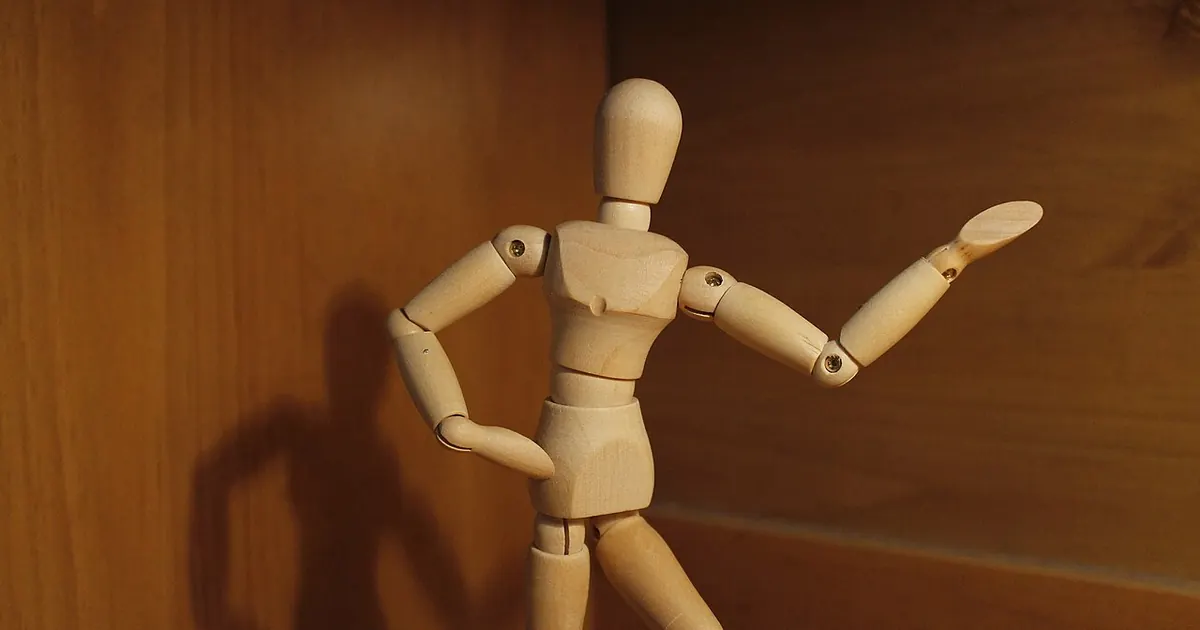
You generate a great mascot for your nonprofit, rerun the same prompt in another scene, and get its cousin: same general idea, different nose, different hairstyle, different jacket. That's normal. Each generation starts from scratch, and words leave a wide margin. "A woman with brown hair, green jacket" describes thousands of people.
Consistency is built in three layers: a locked description, a reference image, and your generator's reference tools. None is enough alone, and even with all three, you'll need to sort through results and sometimes do a few touch-ups.
Start with a text character sheet
Before generating anything, settle on a description of 40 to 60 words that you won't change again. It will be copied identically into every prompt. Keep the traits few and highly distinctive: a freckle on the cheek won't hold from one image to the next, while a big mustard-yellow sweater has a better chance.
The right instinct is to choose a simple silhouette that's easy to recognize, rather than a highly detailed face. That's what makes comic strip characters hold up. Get some help phrasing it:
You're the art director on an illustrated project. Here is my character: [FREE-FORM DESCRIPTION]. They will appear in [FORMAT, FOR EXAMPLE A SERIES OF 12 TRAINING ILLUSTRATIONS].

Write a character sheet of 50 words maximum, to be reused word for word in all my image prompts. It must give, in this order: apparent age, build, hairstyle, complete outfit with its colors, and a single signature accessory.

Use only traits that are clearly visible at small size. Drop any fine detail. Don't model the character on any real person or existing character.

Then add three details that must not vary from one image to the next.
Generate a reference sheet
With this sheet, produce an image that will serve as the benchmark: the character full-length, from the front and in profile, on a neutral background. It's the equivalent of an animation studio's model sheet.
character reference sheet of [CHARACTER SHEET], full body, front view and side view, neutral standing pose, plain light grey background, even soft lighting, [STYLE: FOR EXAMPLE FLAT VECTOR ILLUSTRATION OR SOFT WATERCOLOR], consistent proportions
Do several tries and take your time: it's the most important image of the project, because every flaw will be reproduced in the rest. If you need to clean it up, do it now. Also crop a single front view of the character, because a simple reference without text often works better than a full sheet.
Apply the reference in your tool
The method changes from one tool to another, and these features evolve quickly. The information below is valid as of this writing: check in the tool.
| Tool | Mechanism | Limit |
|---|---|---|
| Midjourney, versions 8.1 and 8.2 | Edit Model, up to four reference images | Replaces the older references on these versions |
| Midjourney, version 7 | Omni Reference: --oref and its weight --ow | A single image, and doesn't apply to newer versions |
| Stable Diffusion | Training a LoRA, or image reference via IP-Adapter, with ControlNet for poses | More technical, but offers the finest control |
| ChatGPT, Gemini and other assistants | Sending the reference image in the conversation | Fewer settings, results vary from one message to the next |
On Midjourney version 7, the prompt for a new scene takes this form:
[CHARACTER SHEET], [ACTION] in [LOCATION], [TIME OF DAY AND LIGHT], [STYLE IDENTICAL TO THE SHEET], [FRAMING] --v 7 --ar 3:2 --oref [URL OF YOUR REFERENCE IMAGE] --ow 150
The documentation gives --ow a range of 1 to 1,000, with 100 as the default, and advises staying under 400 unless stylize is very high. Start low: a higher weight freezes the pose and details of the reference, which isn't always desirable. On versions 8.x, attach your images to the Edit Model instead, describing the new scene.
On Stable Diffusion, a LoRA gives you the best result if you have at least a set of good images of the character: it adds a trigger word to the character that you place in the prompt. The simplest way to start is still an IP-Adapter reference, available as an extension. Beware the reflex of locking the seed: the same seed with a different scene doesn't give the same character, it only serves to compare close variants. The Stable Diffusion guide goes over the basics of these settings, and the one on Midjourney presents the different types of reference.
Organize your series to limit drift
Some scenes hold up far better than others. A few habits will save you plenty of attempts.
- Separate the character from the setting. Change one thing at a time: the location first, then the pose, then the framing.
- Stay at a comparable distance. Medium shots hold up better than extreme close-ups, where the face reinvents itself, or very wide shots, where the character dissolves.
- Avoid complicated poses. Crossed arms, objects held in both hands, characters touching each other: those are the cases that degrade fastest.
- Plan for some margin. For each image you keep, count on several attempts and accept throwing out what doesn't fit.
- Touch up last. A jacket color that varies is fixed in image software much faster than with ten reruns.
Picture an accounting firm that wants a series of illustrations to explain e-invoicing to its clients. Its character, a shop owner with a very distinctive hairstyle, goes from the checkout to the office and then to a meeting. The firm would be wise to lock the illustration style, keep the same colors, and hold all the shots at medium distance. To pin down that style without resorting to an artist's name, the style description grid works very well.
For your next image, reuse this fill-in-the-blanks template, which saves you from rewriting everything and keeps each part in its place:
[CHARACTER SHEET, WORD FOR WORD]. Scene: [SIMPLE ACTION], in [LOCATION], medium shot at eye level. Lighting: [LIGHTING IDENTICAL TO THE SERIES]. Style: [STYLE IDENTICAL TO THE SERIES]. Keep clothing colors and hairstyle unchanged.
The last sentence can help, but it isn't enough: the reference does most of the work.
Limits to accept, and one rule not to cross
Even when done well, this method won't give you a character identical down to the millimeter. Clothing patterns drift, accessories sometimes switch hands, logos and text don't hold. If consistency has to be perfect, for example for a brand mascot that will be used for years, hand the reference version to an illustrator, then use AI for the trial runs.
Don't create a character from the face of a real person without their consent. A photo uploaded to an AI tool is personal data, and publishing generated content that depicts that person can cause real problems, as our article on commercial use explains.
You can start right now: write your 50-word sheet, generate your reference sheet, then run three very different scenes. The one that drifts the most will show you which trait to reinforce in the sheet.
Read next
AI images
Product Photos With AI: Possibilities and Limits
Changing the backdrop of a real photo, creating a mood, avoiding misleading the customer: what AI allows for illustrating a product, and what it distorts.
4 min read
AI images
Realistic AI portraits: avoiding the plastic look
Smooth skin, vacant stare, catalog smile: what gives away an AI portrait, the words to remove from your prompt, and the ones that make a face believable.
4 min read
AI images
Negative prompts: how to use them well, tool by tool
Why your 40-word list is useless, how to write a negative prompt that works, and what changes between Stable Diffusion, Midjourney, and FLUX.
5 min read